Create Workflow
To create a new workflow, click the Create Workflow button.
A new window with a workflow form will appear. Enter the name and define whether the workflow will be default or no. Reference number and version are assigned automatically. In the Structure field write down the code in the JSON format.
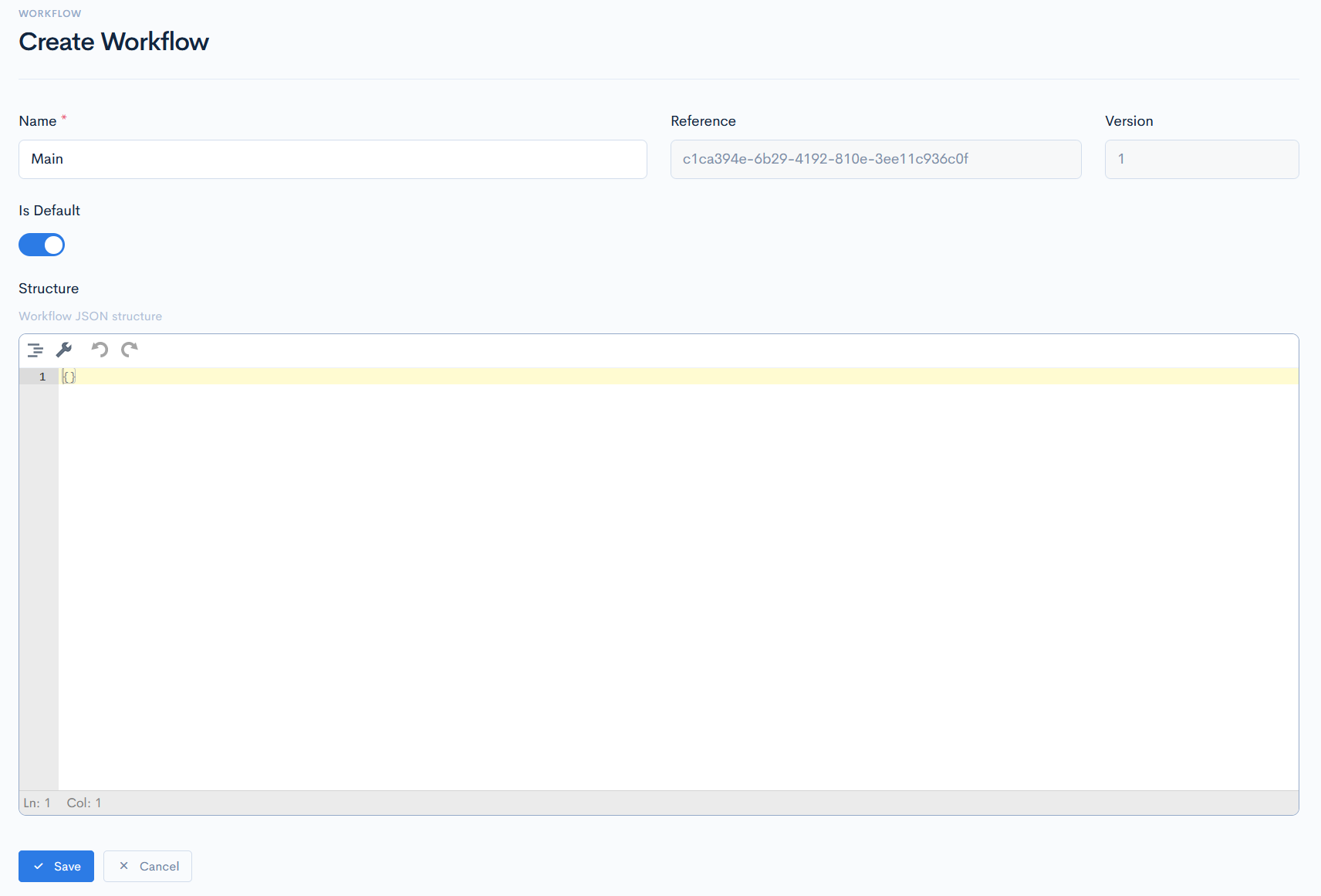
Workflow Structure Example
In this example we will review how the usual workflow is constructed:
{
   "received": {
      "name": "Received",
      "state": "created",
      "class": "badge-soft-primary",
      "description": "Submission is created as initial client enquiry.",
      "next": [
         "open",
         "indicated",
         "quoted",
         "declined",
         "unsuccessful"
      ],
      "button": {
         "label": "Revert to Received",
         "class": "btn-outline-warning"
      }
   },
   "open": {
      "name": "Open",
      "state": "created",
      "class": "badge-soft-warning",
      "description": "Submission requires extra information from the client",
      "next": [
         "received",
         "indicated",
         "declined",
         "quoted"
      ],
      "button": {
         "label": "Request Info",
         "class": "btn-outline-warning"
      }
   },
   "indicated": {
      "name": "Indicated",
      "state": "created",
      "class": "badge-soft-primary",
      "description": "Indicative quote have been provided",
      "next": [
         "quoted",
         "referred"
      ],
      "button": {
         "label": "Give Indicative Quoted",
         "class": "btn-outline-warning"
      }
   },
   "quoted": {
      "name": "Quoted",
      "state": "created",
      "class": "badge-soft-primary",
      "description": "Indicative quote have been provided",
      "next": [
         "bound",
         "unsuccessful",
         "open"
      ],
      "button": {
         "label": "Quote It",
         "class": "btn-outline-primary"
      }
   },
   "referred": {
      "name": "Referred",
      "state": "in_referral",
      "class": "badge-soft-warning",
      "description": "Indicative quote have been provided",
      "next": [
         "declined",
         "prepared"
      ],
      "button": {
         "label": "Referr to UW",
         "class": "btn-outline-warning"
      }
   },
   "prepared": {
      "name": "Prepared",
      "state": "confirmed",
      "class": "badge-soft-success",
      "description": "Quotation is accepted waiting for the policy issuing",
      "next": [
         "quoted",
         "unsuccessful"
      ],
      "button": {
         "label": "Accept as Prepared",
         "class": "btn-outline-success"
      }
   },
   "bound": {
      "name": "Bound",
      "state": "issued",
      "class": "badge-soft-success",
      "description": "Submission bound to be issued!",
      "next": [
         "issued",
         "unsuccessful",
         "quoted"
      ],
      "button": {
         "label": "Mark as Bound",
         "class": "btn-outline-success"
      }
   },
   "issued": {
      "name": "Issued",
      "state": "issued",
      "class": "badge-soft-success",
      "description": "Issued and related documents created!",
      "next": [
         "cancelled"
      ],
      "button": {
         "label": "Mark as Issued",
         "class": "btn-outline-success"
      }
   },
   "declined": {
      "name": "Declined",
      "state": "rejected",
      "class": "badge-soft-danger",
      "description": "Quote has been marked Rejected by UW",
      "next": [
         "open"
      ],
      "button": {
         "label": "Decline by UW",
         "class": "btn-outline-danger"
      }
   },
   "unsuccessful": {
      "name": "Unsuccessful",
      "state": "rejected",
      "class": "badge-soft-danger",
      "description": "Quote has been declined/refused by client",
      "next": [
         "received"
      ],
      "button": {
         "label": "Decline by Client",
         "class": "btn-outline-danger"
      }
   },
   "cancelled": {
      "name": "Cancelled",
      "state": "terminated",
      "class": "badge-soft-dark",
      "description": "Quote has been terminated due to the client request",
      "next": [
         "received"
      ],
      "button": {
         "label": "Termination",
         "class": "btn-outline-dark"
      }
   }
}
}
Every quote has several hardcoded states, but those states can have statuses, which quantity is infinitive. Statuses are defined as objects. In the following example, both objects have a state of created, but different statuses: Received and Open.
{
   "received": {
      "name": "Received",
      "state": "created",
      "class": "badge-soft-primary",
      "description": "Submission is created as initial client enquiry.",
      "next": [
         "open",
         "indicated",
         "quoted",
         "declined",
         "unsuccessful"
      ],
      "button": {
         "label": "Revert to Received",
         "class": "btn-outline-warning"
      }
   },
   "open": {
      "name": "Open",
      "state": "created",
      "class": "badge-soft-warning",
      "description": "Submission requires extra information from the client",
      "next": [
         "received",
         "indicated",
         "declined",
         "quoted"
      ],
      "button": {
         "label": "Request Info",
         "class": "btn-outline-warning"
      }
   }
}
{info.fa-info-circle} Status objects are written one after another in a sequence, which you want your workflow to be. Objects with states rejected and terminated are written at the very end of the structure.
In general, every workflow object is defined through these keywords:
name- status name, enter whatever you wish.state- one of the hardcoded states.class- CSS class of a badge (notification, when the quote is transitioned into another status) or a button. Classes can be found here.description- text, that will be displayed in the badge.next- an array, where you define which statuses will be referred as buttons in the quote. For example, if you have defined the Open status, then from theopenobject, the Request Info button will be taken and displayed in every quote with the Received status. After clicking this button, the quote will be transferred to the Open status.button- defines the status buttonlabelandclass. Classes can be found here.