Overview
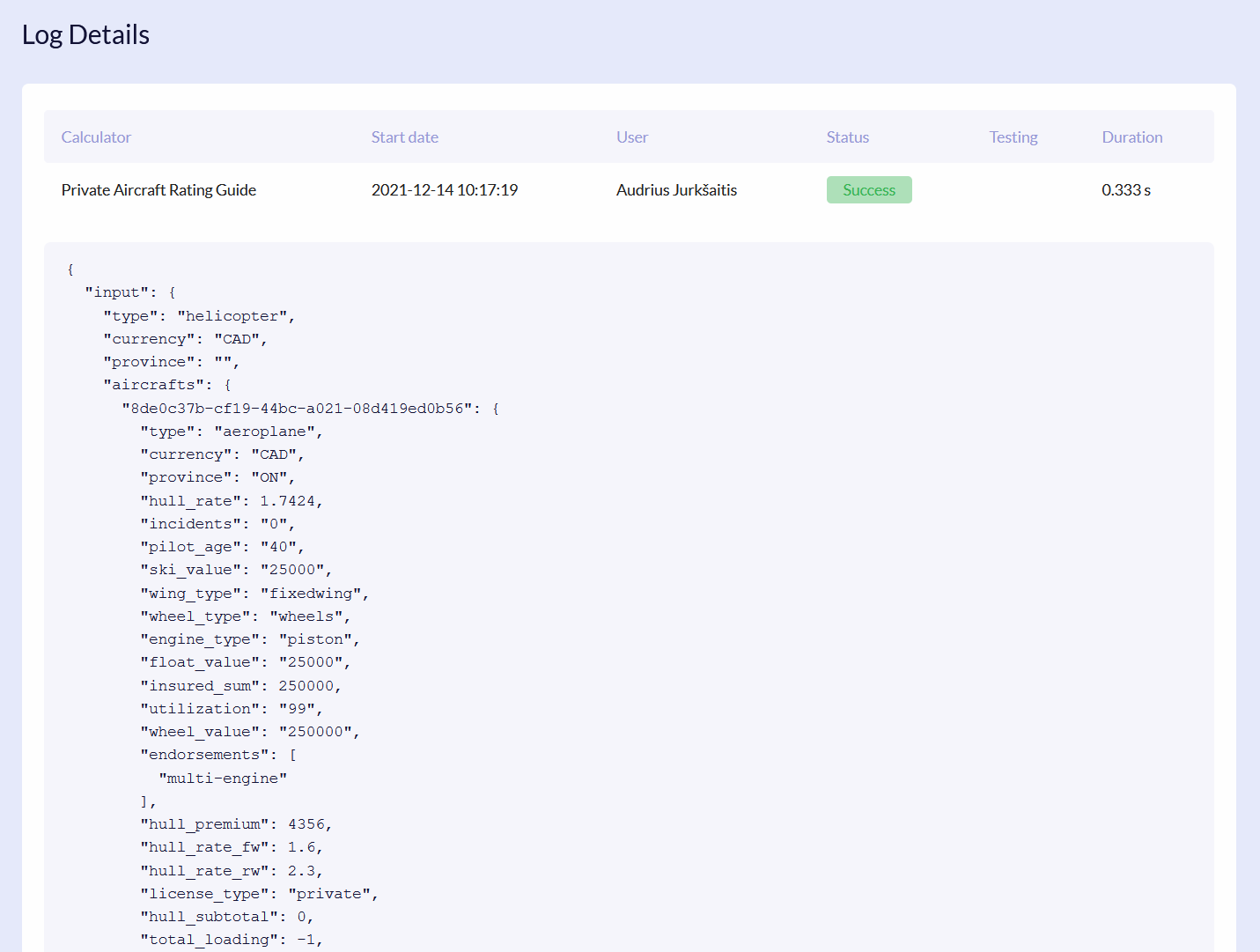
Calculation logs allow you to check all the calculations performed and see the detailed JSON file of it.
Logs List
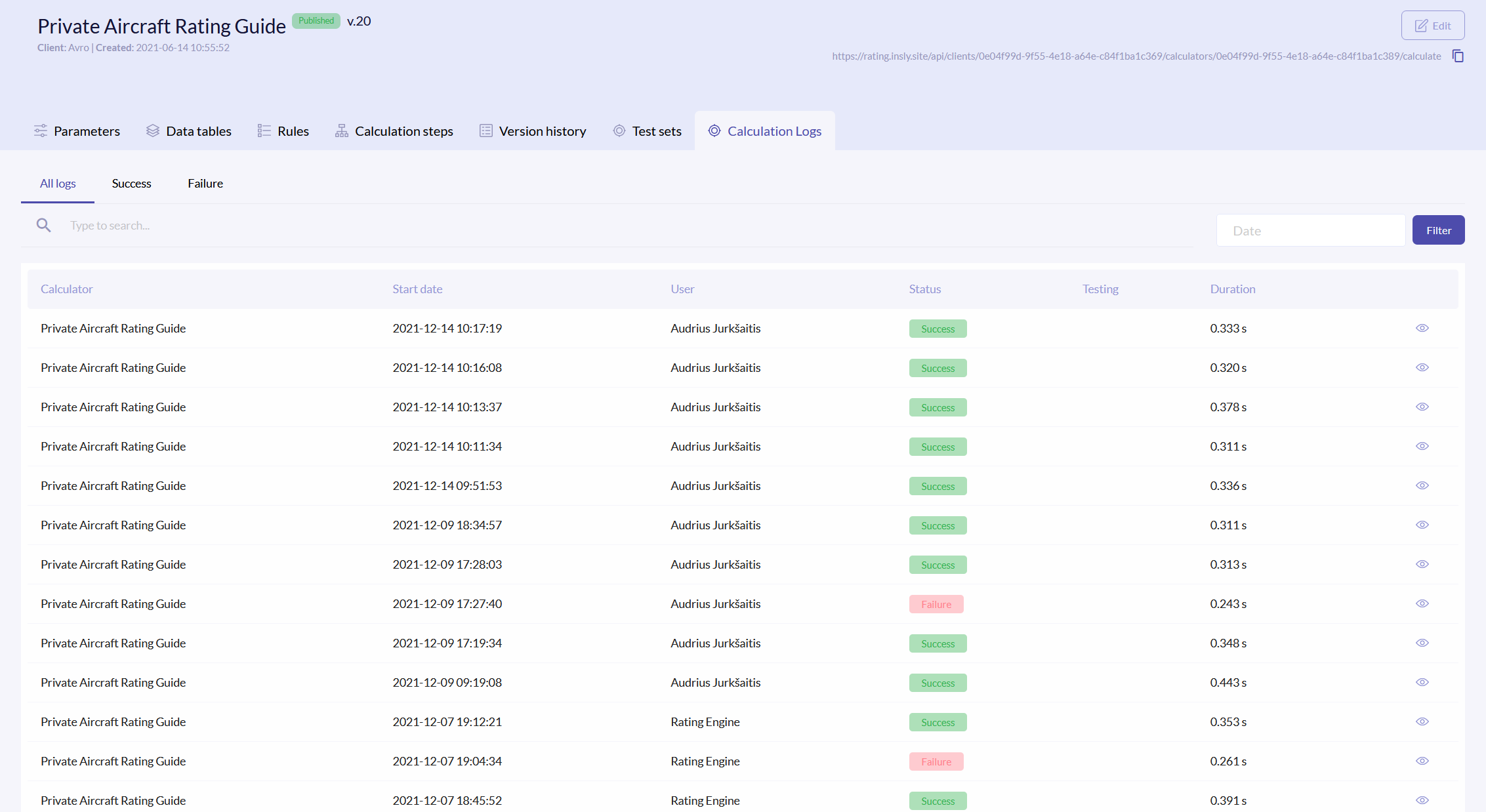
To access logs, click the Calculation Logs tab. The logs list has the following columns:
| Calculator | Name of the calculator, that performed the action. |
| Start date | Exact date and time of when the calculation started. |
| User | Under which user the calculation was executed. |
| Status | Was the calculation executed successfully or not. |
| Testing | If the calculation was done via test set, then the status is True. |
| Duration | For how long in seconds the calculation was run. |
{info.fa-info-circle} You can filter out the list by date and status.
View Log
To view what exactly was calculated and the results in JSON, click the icon on the right of the field. On the left you will find the parameters names, and on the right their values.