Overview
When you are adding a receivable, you have to define the receivable sub-transactions to book amounts for a policy/quote. Every sub-transaction belongs to a category, which defines the sub-transaction type, owner, collector, balancing logic and possible default sums/rates.
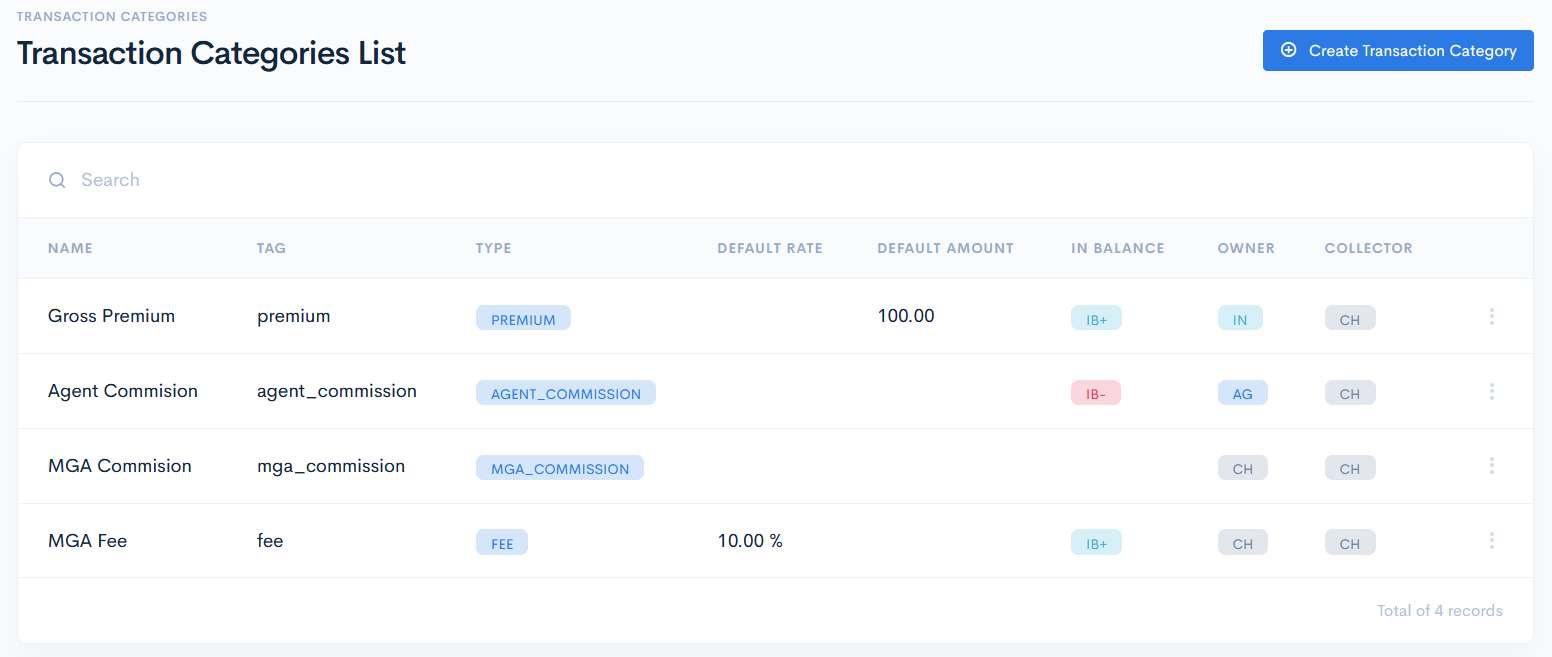
Transaction Categories List
To access the categories, click Finances on the left sidebar and from the drop down menu select Transaction Categories.
The transaction categories list has the following columns:
| Name | Transaction category name. |
| Tag | The tags are required in the internal invoice integration to map some values. For more information see the API Integrations chapter. |
| Type | Category type. Possible options, which are hardcoded:
|
| Default Rate | Set the default rate in %, which will be automatically applied to the credit sum when the category in receivables is selected. |
| Default Amount | Set the default amount of money, that will be automatically applied to the credit sum when the category in receivables is selected. |
| In Balance | Set how the category will appear in a balance. Possible options, which are harcoded:
|
| Owner/Collector | Select the owner and collector. Possible options:
|
Create Transation Category
To create a new category, click the Create Transaction Category button. In the new window enter the required info and click Save. The new category will appear in the list.
{info.fa-info-circle} If you toggle the Dependent on Product button, you will have to select a related product when creating a receivable.
{info.fa-info-circle} If in Settings you set Gross Commission in how to calculate the gross commission, then MGA_Commission will be hidden from options and vice versa.
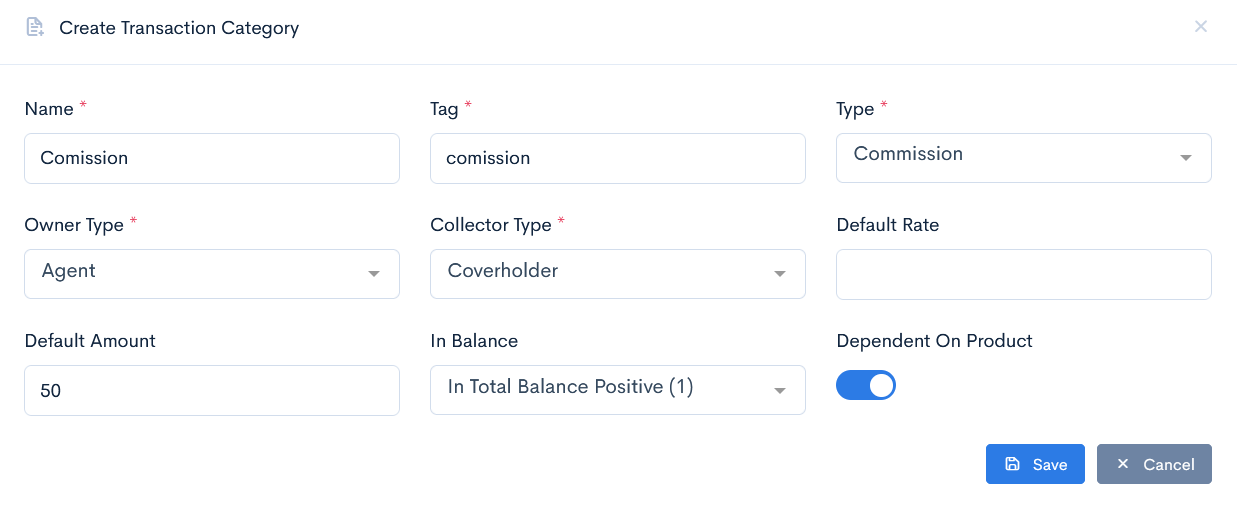
{info.fa-info-circle} Fields marked with a red asterisk (*) are mandatory.
Edit or Delete Transaction Category
To update or delete a category, hover over the three dots on the right of the field and click Edit or Delete.
{info.fa-info-circle} If a transaction category is being used in some receivable, then it cannot be deleted.
