Overview
In the Q&B system to generate a document (e.g., an invoice, quotation, declaration, etc.), firstly a document template should be prepared, where the values will be mapped during the API integration.
The templates are created in the carbone.io application. Please read its documentation thoroughly while making the template.
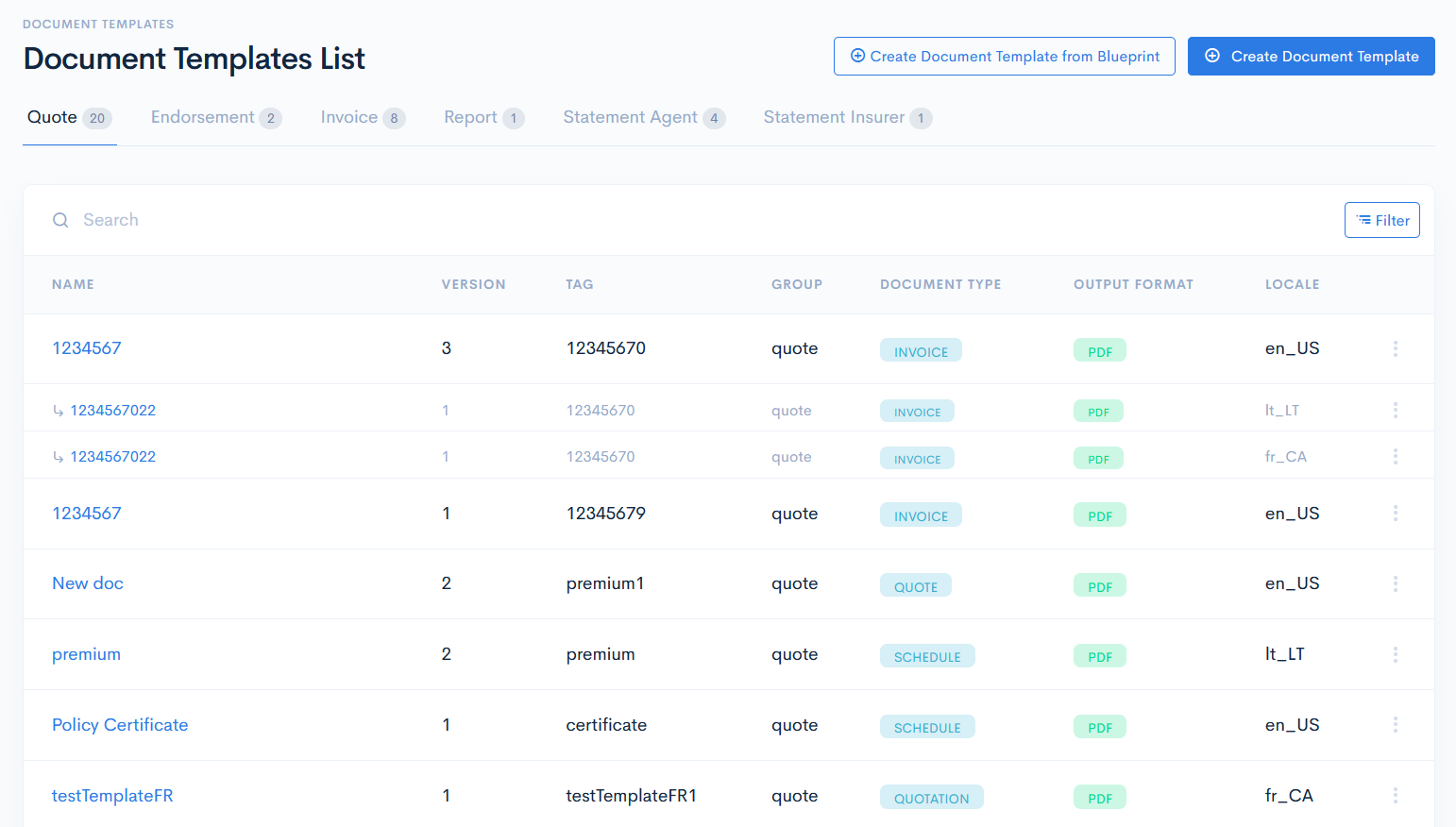
Document Templates List
To access permissions, click Admin on the left sidebar and from the drop down menu select Documents Templates.
In the new window you will see the list of document templates, which were uploaded into the system.
The document templates list contains the following columns:
| Name | Document template name (not the file name). |
| Version | Version of the template. A new incremented version is created each time when updates are done. |
| Tag | Unique identifier of a template, which is used in the API Integrations in the templateTag key value pair. |
| Group | Group to which the template belongs. E.g. if a template is assigned to the Invoice group, then it will be automatically used in invoices. Possible options:
|
| Document Type | Defines the template type. The types may vary from instance to instance. Document type can be created in the Document Types section. |
| Output Format | Format of the generated document. Possible options:
|
| Locale | Document language. Note: If there are different langauge templates with the same tag, they will be grouped into one with English langauge as a parent. |