Library Management
In this chapter we will discuss how to edit a library, and create an endorsement in it.
Edit or Delete Library
To edit or delete the library, hover over the three dots on the right of the row and click Edit or Remove.
{info.fa-info-circle} The library can be deleted only if it has the DRAFT status.

Library Page
Click the View button to access the specific library page.
The main page has the Library Details and endorsements sections.
The Library Details section shows the main information about the library, allows you to edit it, and also activate or deactivate the library depending on the status.
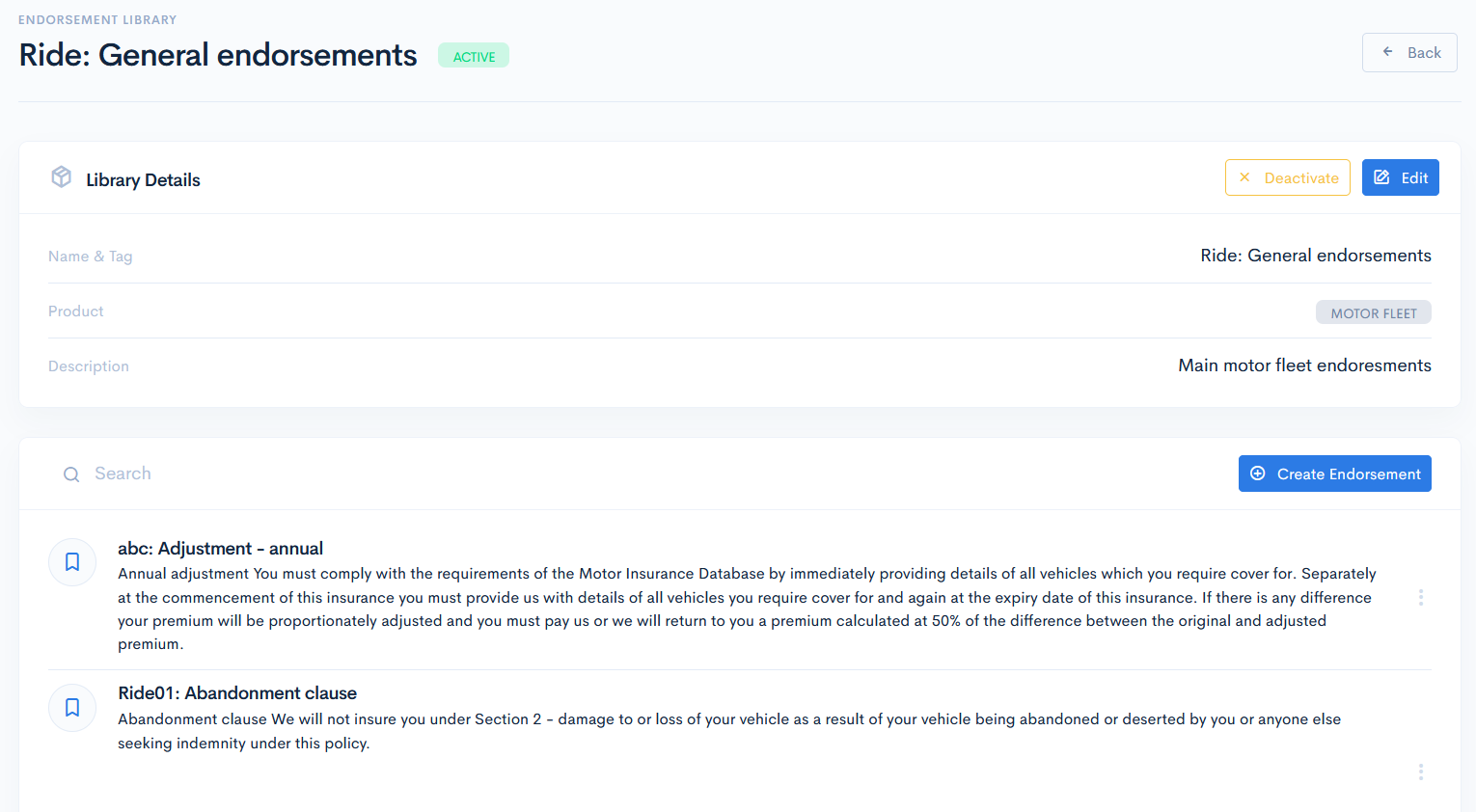
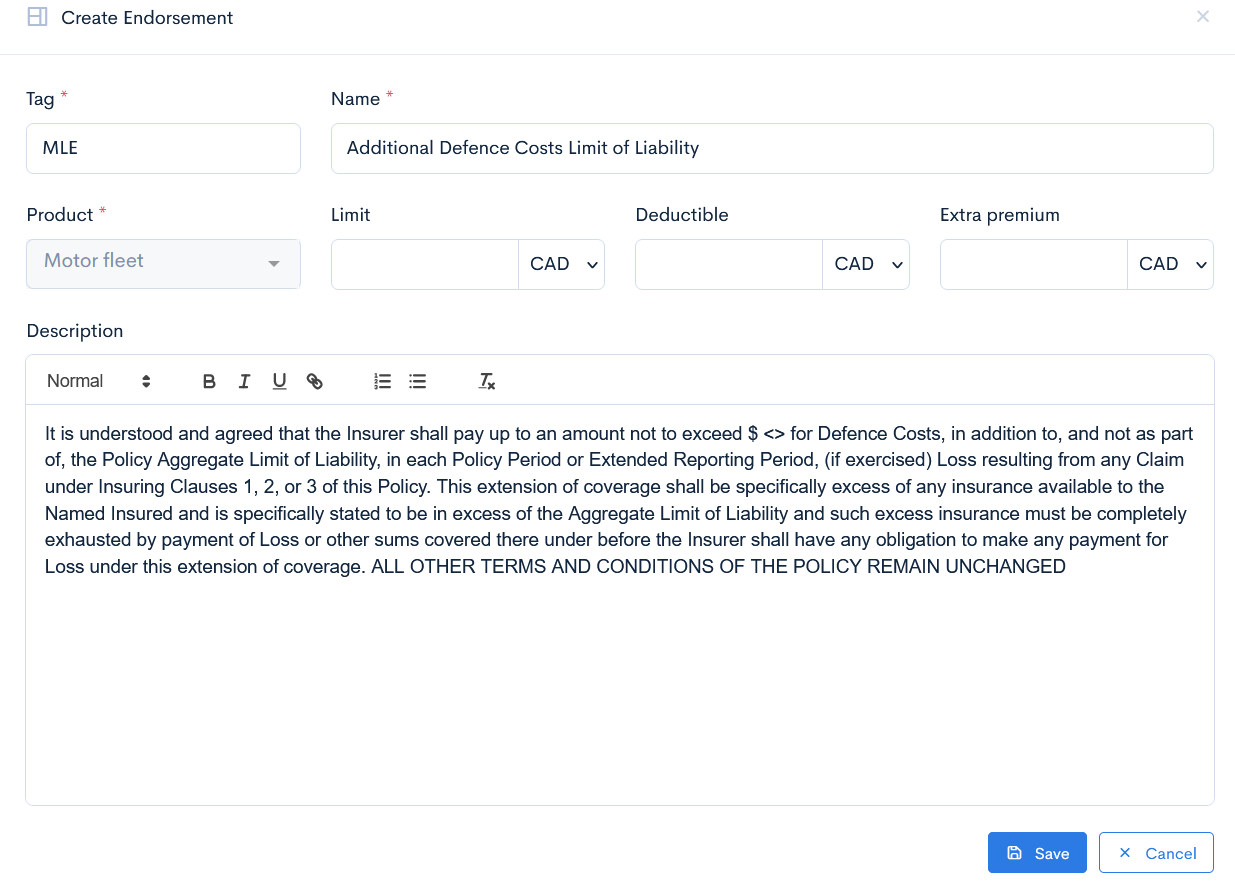
The next section is for endorsements. You will find a list with all endorsements in the library. To create a new one, click the Create Endorsement button. A new window with a form will appear. Enter the Tag, Name (mandatory), Limit, Deductible, Extra Premium are not mandatory. In Description write the endorsement text. Click Save and the new endorsement will appear in the list.
{info.fa-info-circle} Endorsement tags are needed in the API Integrations to define some default endorsements while mapping.
To edit or delete an endorsement, hover over the three dots on the right of the row and click Edit or Remove. In the Edit Endorsement window you will also find a list of linked document templates.
