Home / Scheduled Task Management
Scheduled Task Management
In this chapter we will discuss how to edit/delete tasks, activate and run a command to test the task.
Edit or Delete Task
To edit the task or delete, hover over the three dots on the right of the field and click Edit or Remove, or click on the name of the category.

Scheduled Task Details
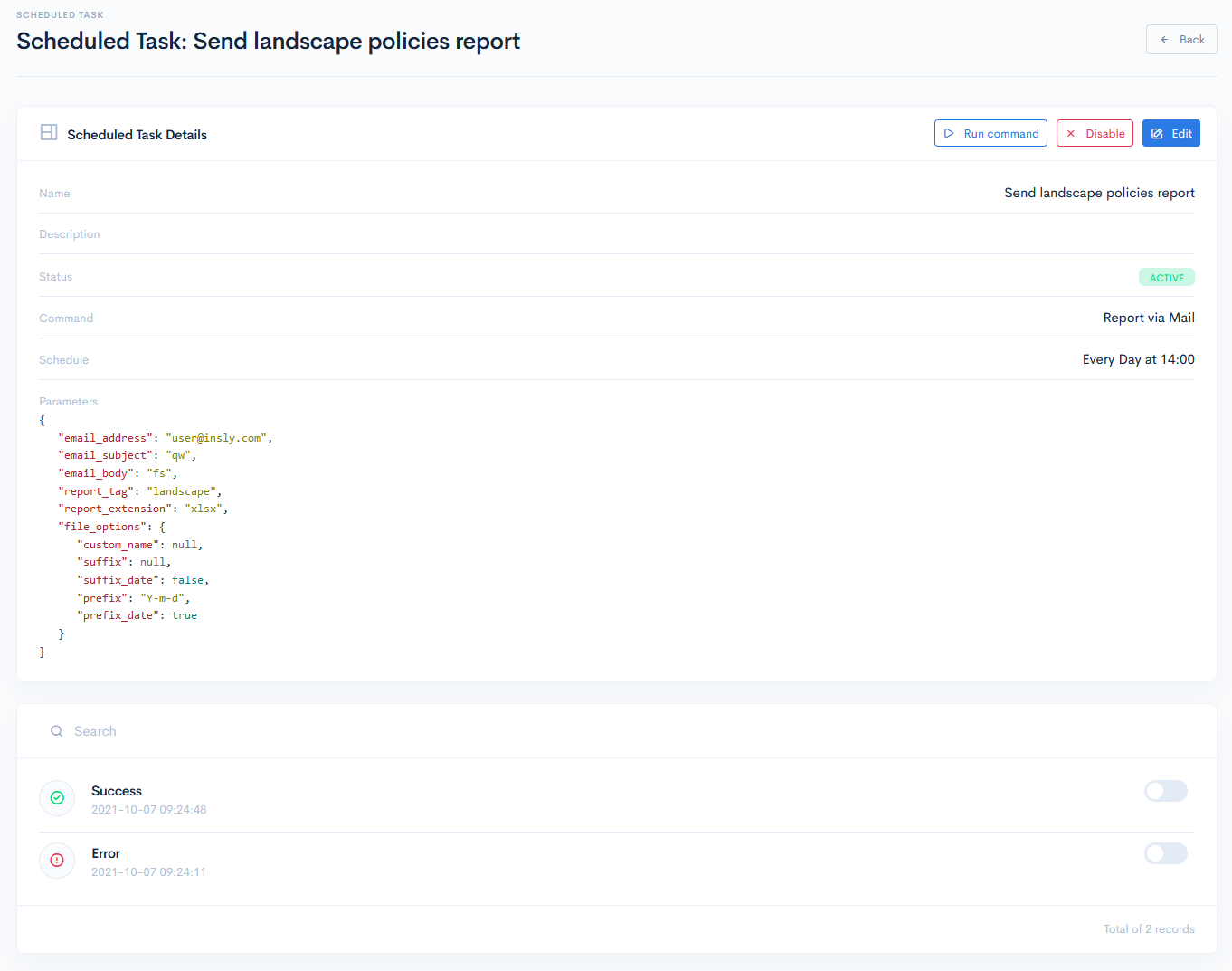
To access the task details, click on its name.
In the Scheduled Task Details section you can see all the details of your task.
If the task has Inactive status, then click the Enable button to activate it and vice versa.
Click the Run Command button to execute the task now. This way you can test if your JSON code works properly.
In the Log section every command execution is displayed as Success or Error with the exact date and time of the command run. Toggle the button on right of the field to see the details of the execution.