Create Master Binder
To create a new master binder, click the Add Master Binder button.
A new window with a binder form will appear. The following basic info should be defined:
| Name | Enter the name of the binder. |
| Product | From the drop-down list select the product, which your binder is dedicated to. |
| Insurer | From the drop-down list select the lead insurer. It will be set as default insurer of the quote when binder is selected. |
| UMR | Unique Market Reference (binder number). |
| Default Underwriter | Select an underwriter form the database. |
| Tag | Unique identifier of a binder, which is used for value mapping in schemas. |
| Description | Enter any additional useful comments. |
Click Save.
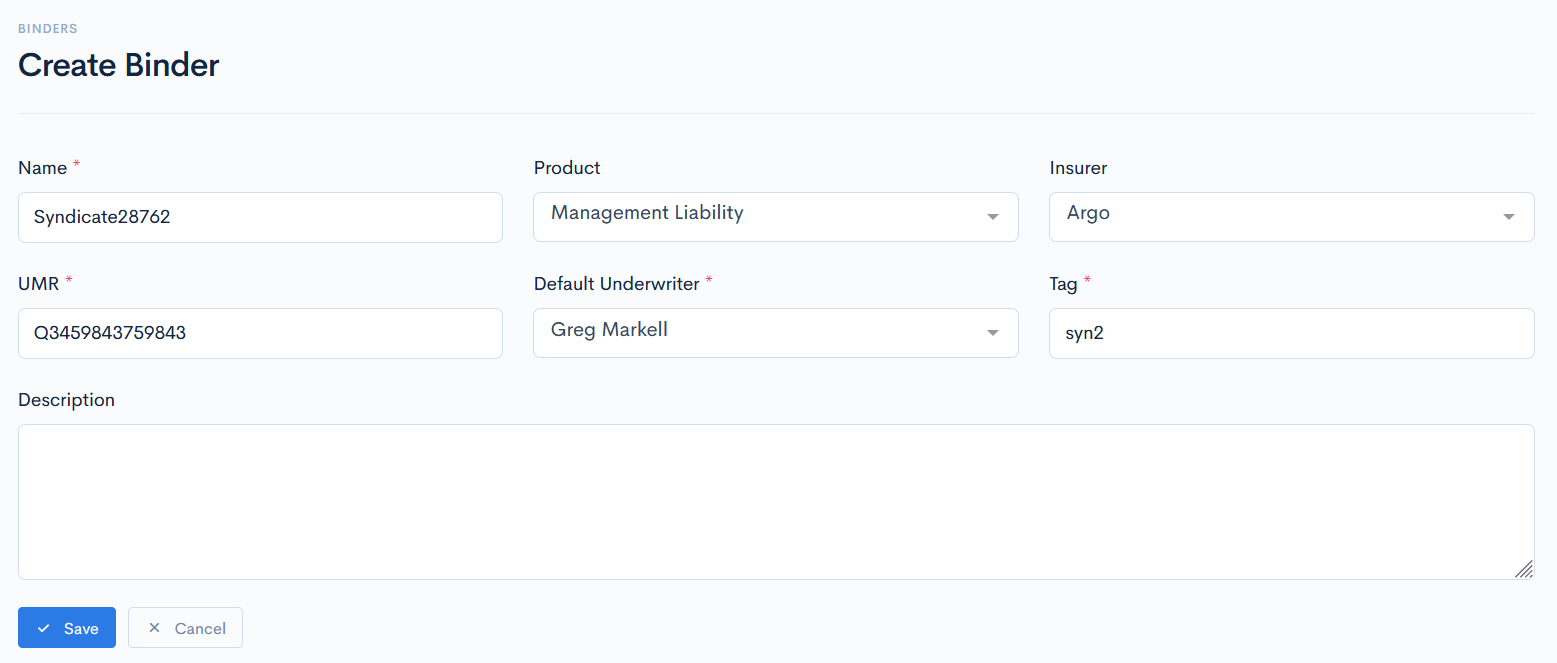
{info.fa-info-circle} Fields marked with a red asterisk (*) are mandatory.