Overview
Entities allow you to define responsible parties in specific Quote & Bind instance. In general entity could be treated as Business Unit, Enterprise or Company.
Entities List
To access entities, click Admin on the left sidebar and from the drop down menu select Entities.
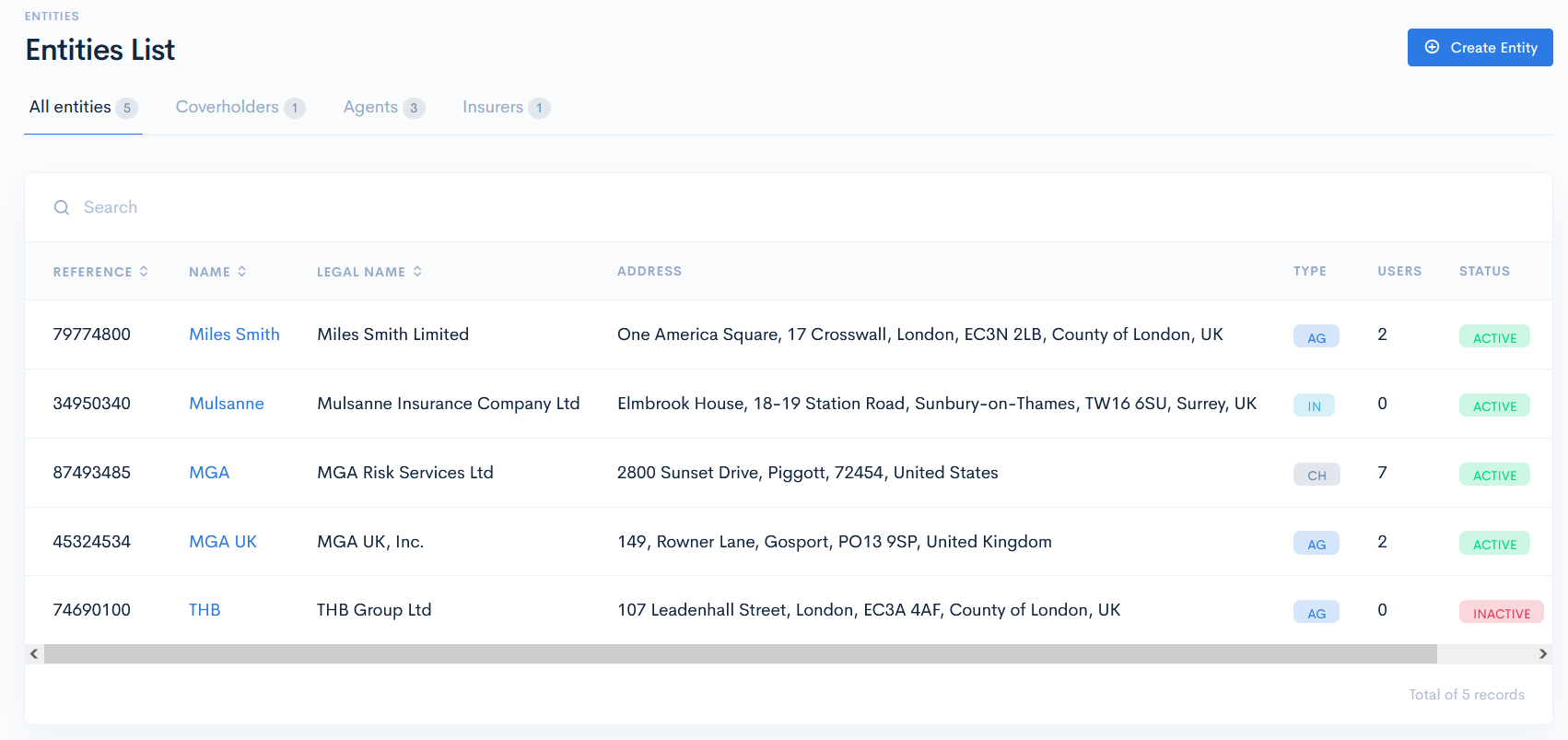
In the new window you will see the list of entities which can have the following hardcoded types:
- Coverholders - MGA company (owner of the instance). There can only be one coverholder which can have its own subsidiaries (as childs).
- Agents - retailer of MGA, alternativelly could be called as Retail Broker or Producer. Typically one MGA works with dozens or hundreds of agents.
- Insurers - insurance/risk capacity provider who is backing the insurance policy risk. Alternativelly it also could be called as Carriers, Capacity Providers, Syndicates.
{info.fa-info-circle} While business logic remains the same, actual titles naming might be different per instance. Types might be applicable in the other insurance intermediation perspectives:
Reinsurance: Reinsurance Broker (Coverholder), Insurer (Agent), Reinsurer (Insurer)
Networks: Agent Network (Coverholder), Retail Broker (Agent), Insurer (Insurer)
You can filter entities by these types by clicking on the corresponding tab above the list. The adjacent number shows how many entities have this type.
The entities list contains the following columns:
| Reference | Unique reference number, assigned by you. Note: You can sort the list by reference in ascending or descending order, if you click on Reference. |
| Name | Short entity name. Note: You can sort the list by name in ascending or descending order, if you click on Name. |
| Legal Name | Full legal company name. Note: You can sort the list by name in ascending or descending order, if you click on Legal Name. |
| Address | Full company address. |
| Type | Entity type. Possible options:
|
| Users | How many users are assigned to the entity. |
| Status | Entity status. Possible hardcoded options:
|
{info.fa-info-circle} You can filter out the list by reference, name and legal name in the search bar.