Overview
Some MGA tasks (such as report sending to an email or sFTP) should be automated and executed on a periodic basis, for this reason the Scheduled Tasks module is used. Within this module you will be able to register task and schedule it, so when time will come, the system will execute it.
There are two possible uses: send a report to an email or SFTP, or call an API to send parameters to another system.
Scheduled Tasks List
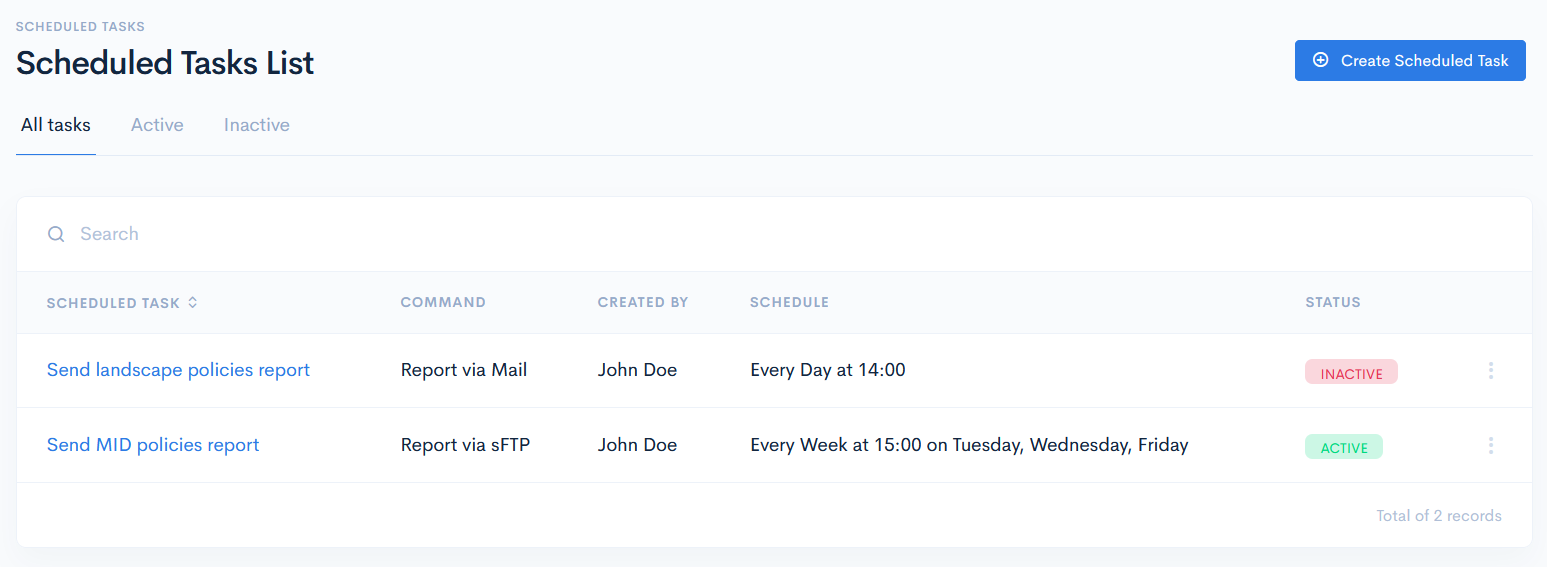
To access tasks, click Admin on the left sidebar and from the drop down menu select Scheduled Tasks.
In the new window you will see the list of tasks which can have the following hardcoded statuses:
- Active - the task is being executed at the defined period.
- Inactive - the task has just been prepared, but it is not being executed.
You can filter task by these statuses by clicking on the corresponding tab above the list.
The scheduled task list contains the following columns:
| Scheduled Task | Name of the task. Note: You can sort the list by name in ascending or descending order, if you click on Scheduled Task. |
| Command | How the task is executed Possible hardcoded options:
|
| Created By | User, who created the task. |
| Schedule | When the task will be executed. |
| Status | Task status. Possible hardcoded options:
|
{info.fa-info-circle} You can filter out the list by name in the search bar.