Overview
Document types are used to define the which group the document templates belongs to.
Document Types List
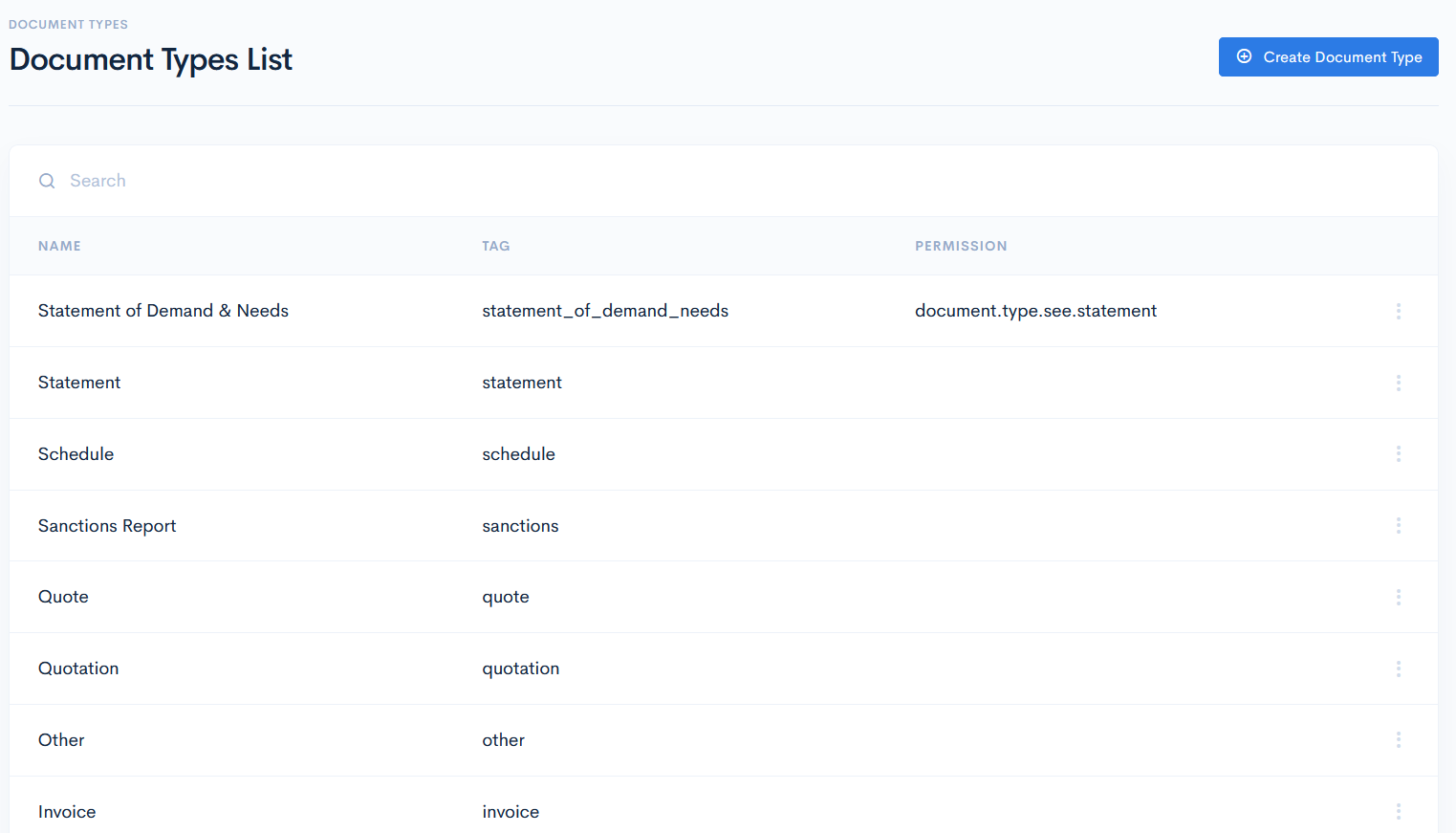
To access document types, click Admin on the left sidebar and from the drop down menu select Document Types.
In the new window you will see the list of document types with its name, tag and permission. Permissions allows for user to see the document, that others cannot see.
Edit/Delete Type
To edit or delete the type, hover over the three dots on the right of the row and click Edit or Remove.

Create Document Type
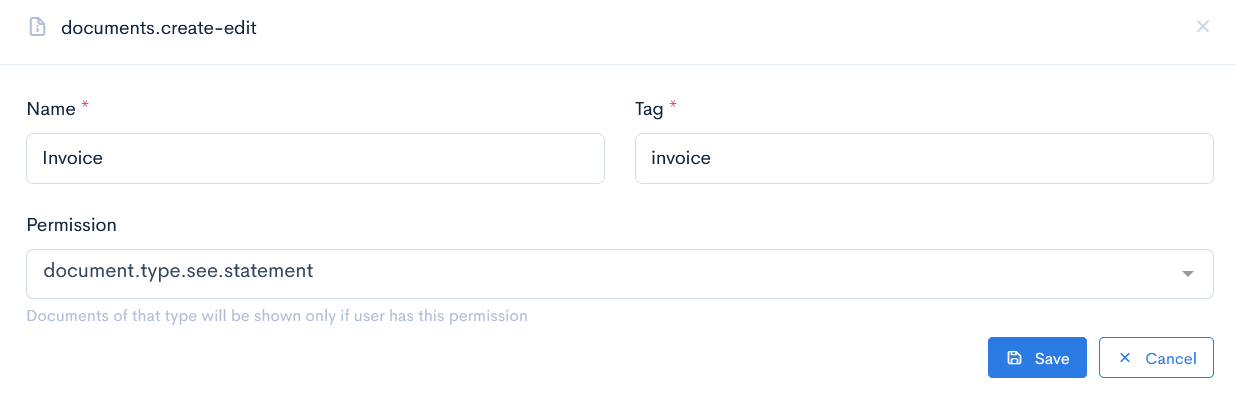
To create a document type, click the Create Document Type button. In the new window enter Name, Tag and from the drop-down list select Permission. Click Save.
{info.fa-info-circle} Permissions for the documents are created in the Permissions module.