Overview
All receivables/payments are defined in some particular currency. The Q&B system has a multicurrency feature and you can always add a new currency, which suits your needs.
Currencies List
To access the currencies, click Finances on the left sidebar and from the drop down menu select Currencies.
The currencies list has the following columns:
| Code | Currency codes. List of all codes around the world can be found here. |
| Name | Currency name. |
| Symbol | Currency symbol. |
| Placement | Where the currency symbol will be placed in regards of the amount. Possible options:
|
| Primary | Set this currency as default or not in all quotes. |
| Active | Set this currency as active or not. If the currency is inactive, it will not be used anywhere. |
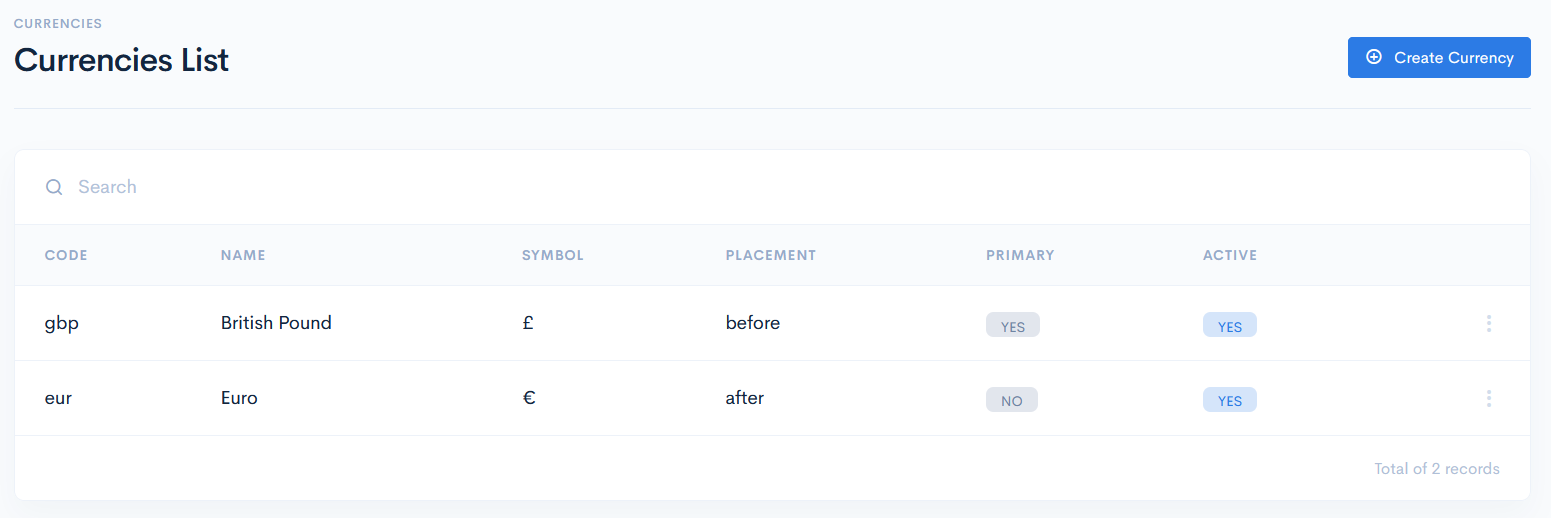
Create Currency
To create a new currency, click the Create Currency button. In the new window enter the required info, set currency as active or primary, and click Save. The new currency will appear in the list.
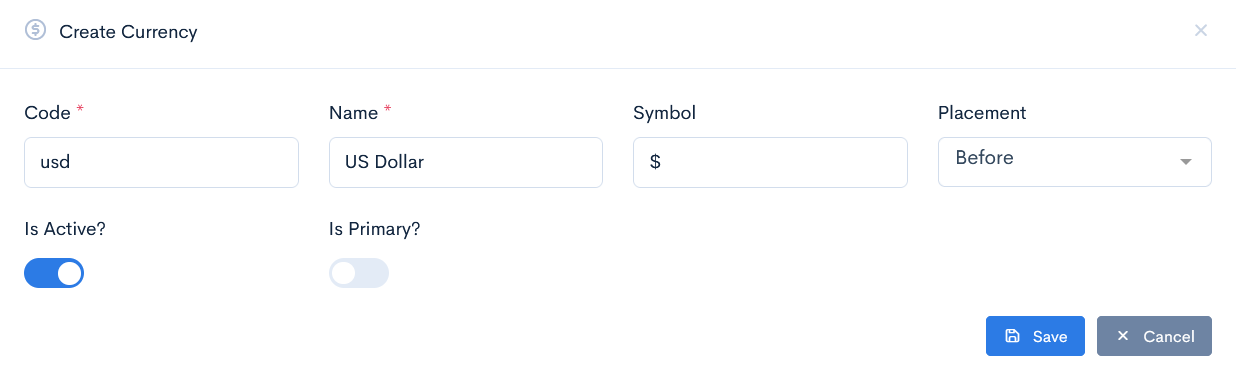
{info.fa-info-circle} Fields marked with a red asterisk (*) are mandatory.
Edit or Delete Currency
To update or delete a currency, hover over the three dots on the right of the field and click Edit or Remove.
{info.fa-info-circle} If a currency is being used in some quotes, receivables or payments then it cannot be deleted.
