Overview
In the Rating Engine the parameters store some values that are needed for calculation, either stores the calculation result itself. Parameters names are written in formulas and in quote schemas when mapping quote field values.
Parameters List
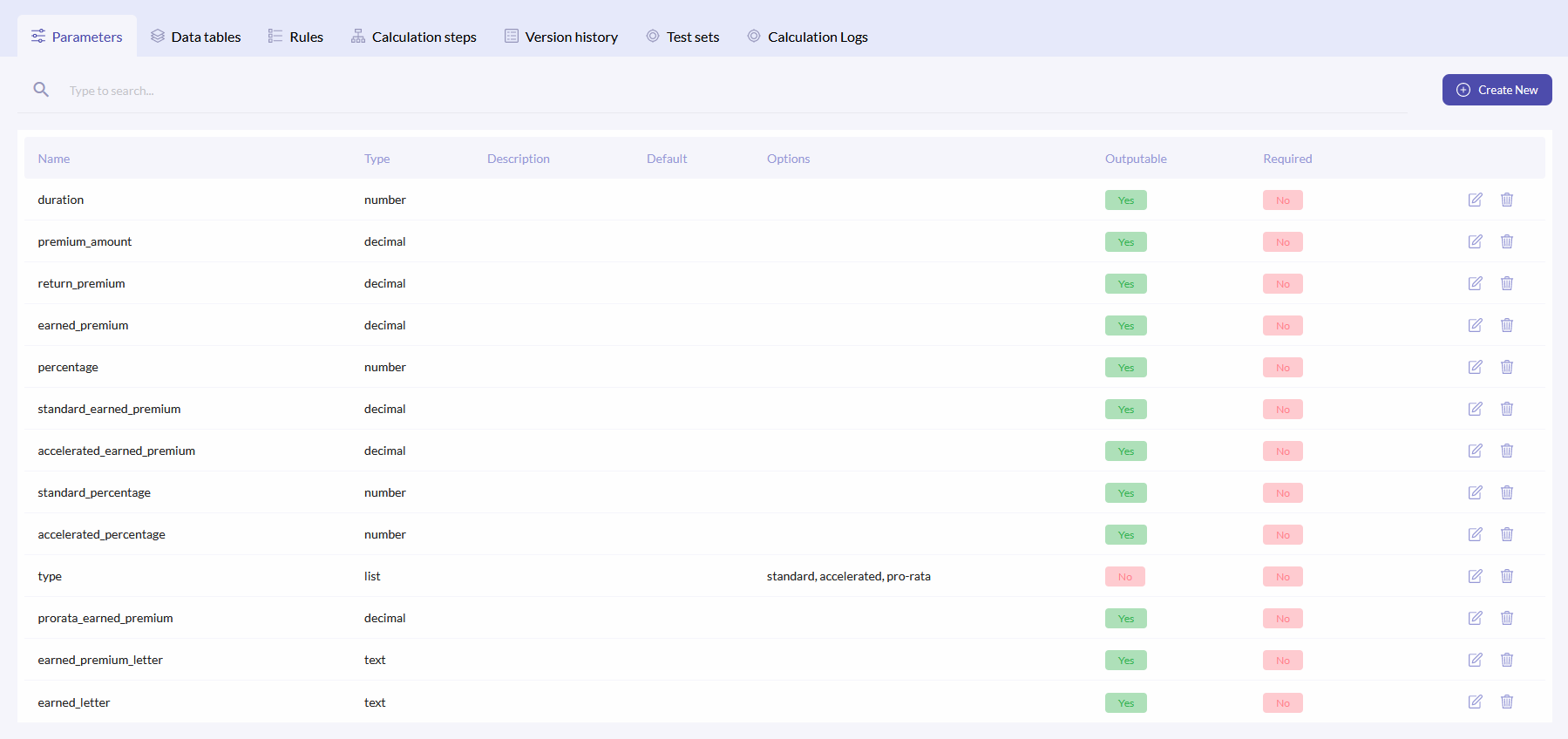
To access parameters, click the Parameters tab. The parameters list has following comments:
| Name | Parameter name. This name is used in formulas |
| Type | Parameter type. It is selected depending on what it will be mapped. Possible options:
|
| Description | Short description of the parameter. |
| Default | Default value, that is used if no other value is mapped. |
| Options | Applicable only for the list type. Defines which words can be mapped from quote. |
| Outputable | Will this value be outputed to the Q&B system, or no. |
| Required | If marked as yes, then if the value is not entered in the quote, then error will be shown. |
{info.fa-info-circle} You can filter out the list by name and type.
Create New Parameter
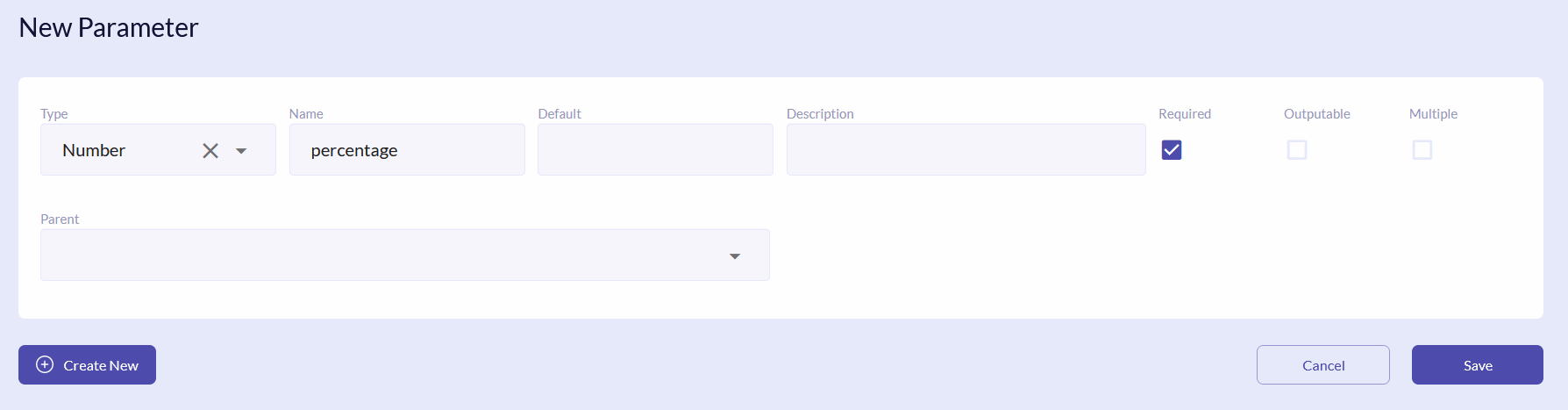
To add new parameter, click the Create New button. In the new window select the required Type, enter Name, Default Value (optional), Description (optional).
Tick the required checkboxes. If the Multiple checkbox is ticked, then the parameter will be passed as an array of values (even if there is a single value). Multiple parameter can be selected as the output result for the calculation equation, thus the equation returned value is added as an array item (e.g. if you have two calculation steps, output will be assigned to the same parameter, then at the end of the calculation multiple parameter will have two values in array). Multiple option applies only for following parameter types:
- Number
- Text
- Decimal
- Date
- List
{info.fa-info-circle} Multiple parameter can accept multiple default values.
{info.fa-info-circle} If a name consists of two parts, then those parts have to be divided with an underscore, e.g. premium_amount.
If the parameter is any type except for the Matrix and Array and you need to perform cycles in counting, then define the parent type. The parent itself can only become Matrix and Array types. The defined child parameters are stored in the array and are calculated in cycles.
If you selected the List type, then enter Options separated by commas.
To create more than one parameter at once, click the Create New button.
Edit/Delete Parameter
To edit or delete parameter, click the or icons on the right of the field respectively.
{info.fa-info-circle} Make sure that you change the parameter names in the formulas and schema also.
