Overview
Payment terms define in how many days the policy must be paid.
Payment Terms List
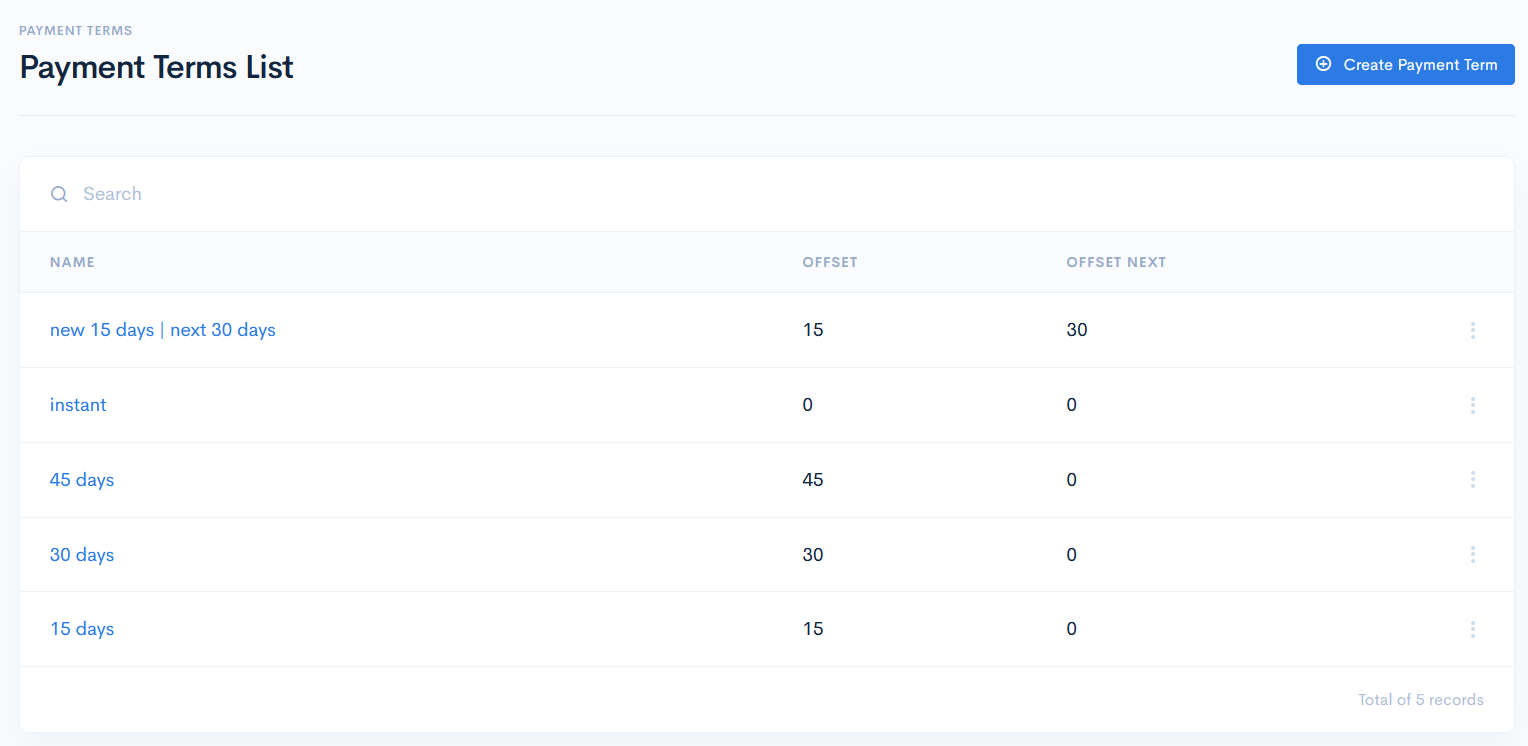
To access the terms, click Finances on the left sidebar and from the drop down menu select Payment Terms.
The payment terms list has the following columns:
| Name | Payment term name. |
| Offset | In how many days the payment must be done. 0 would mean, that payment has to be done instantly. |
| Offset next | In how many days the payment must be done, if it was not paid at the first time. |
Create Payment Term
To create a new payment term, click the Create Payment Term button. In the new window enter the required info, and click Save. The new term will appear in the list.
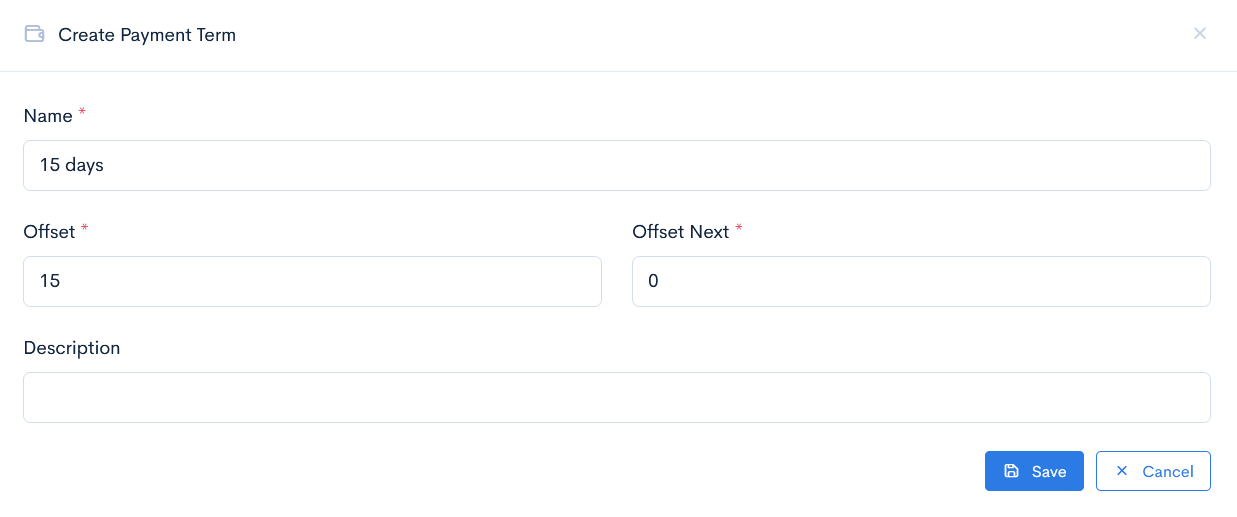
{info.fa-info-circle} Fields marked with a red asterisk (*) are mandatory.
Edit or Delete Payment Term
To update or delete a term, hover over the three dots on the right of the field and click Edit or Remove.
{info.fa-info-circle} If a payment term is being used in some entitites records, then it cannot be deleted.
