Overview
The email templates makes your life easier, as you do not need to write an email from scratch every time. Within the template, you will have predefined receiver, subject, text. For more information on how to send an email with a template, see Quote Management.
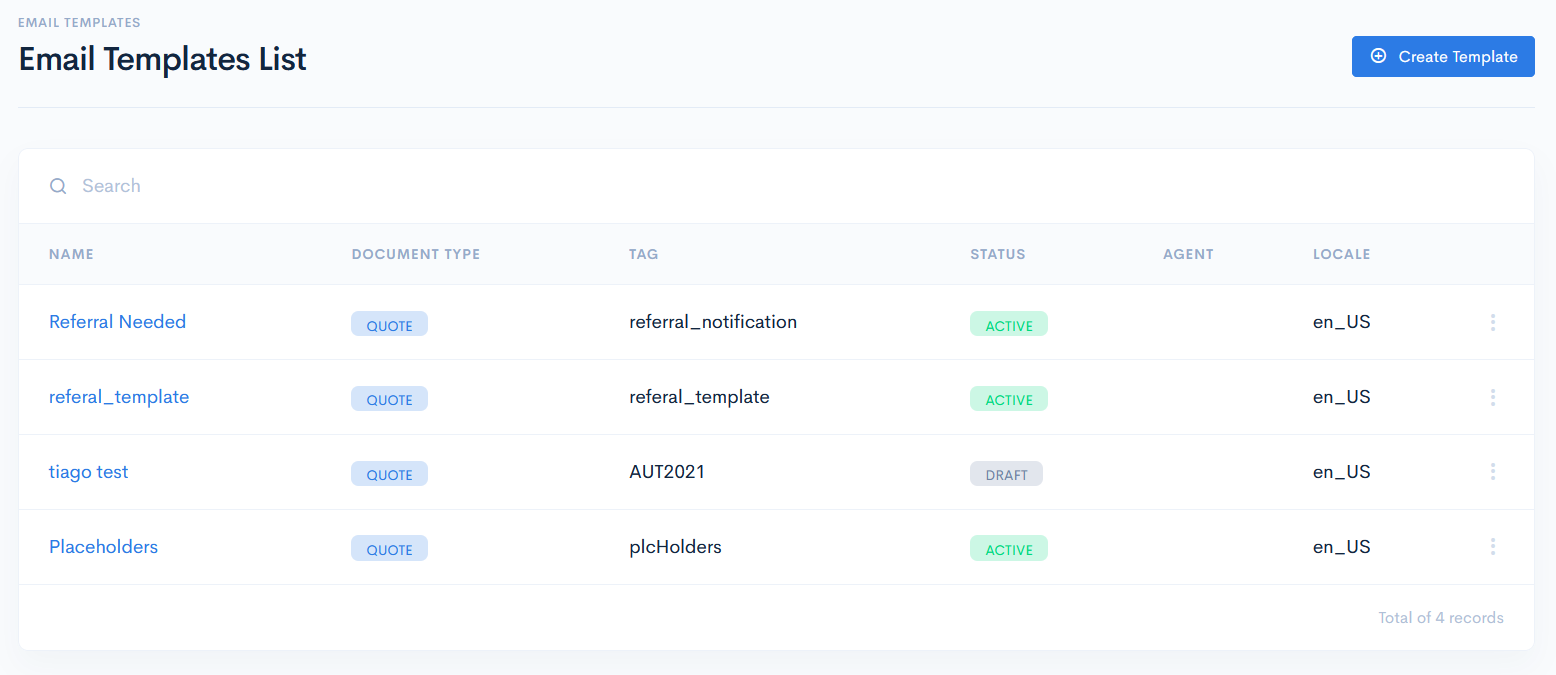
Email Templates List
To access templates, click Admin on the left sidebar and from the drop down menu select Email Templates.
In the new window you will see the list of tasks which has the following columns:
| Name | Template name. |
| Type | Template type. Possible hardcoded options:
|
| Tag | Unique tag, which is used for mapping purposes in the system. |
| Status | Status of the template. Possible hardcoded options:
|
| Agent | Name of the assigned agent. |
| Locale | Default langauge of the template. |