Overview
In the Rating Engine rules are used to throw a notification or trigger referral or decline procedure on a quote (will be transferred to In Referall or Declined status) if something does not match rules defined in the engine. This is used together with the uiType ratingRules in schema.
Rules List
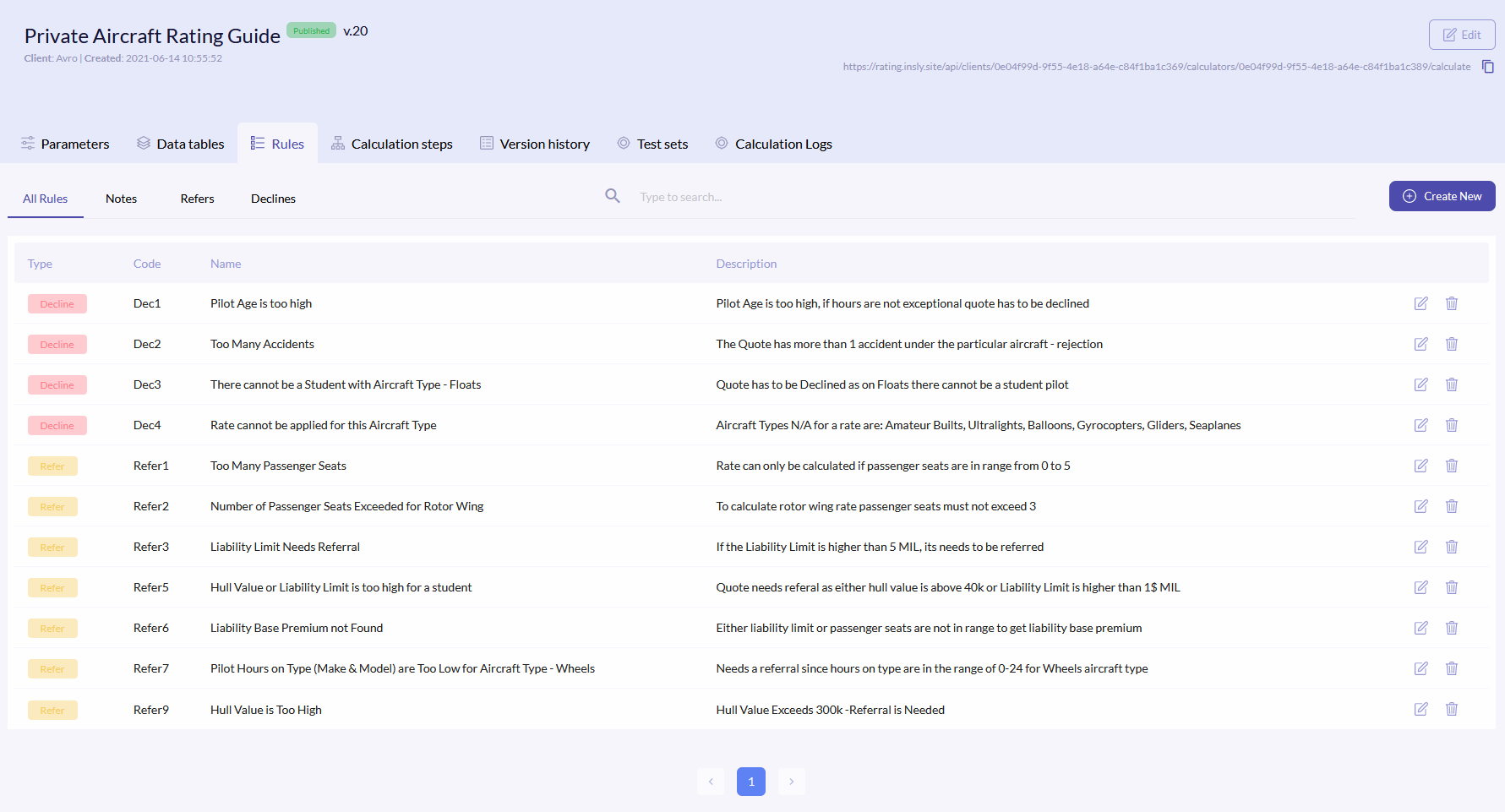
To access rules, click the Rules tab. The data tables list has following comments:
| Type | Rule type. Possible options:
|
| Code | Rule code, which is then entered into formula. |
| Name | Rule name. It will be show as header in the notification. |
| Description | The text that will be shown in the notification. |
{info.fa-info-circle} You can filter out the list by type, code, name and description.
Create New Rule
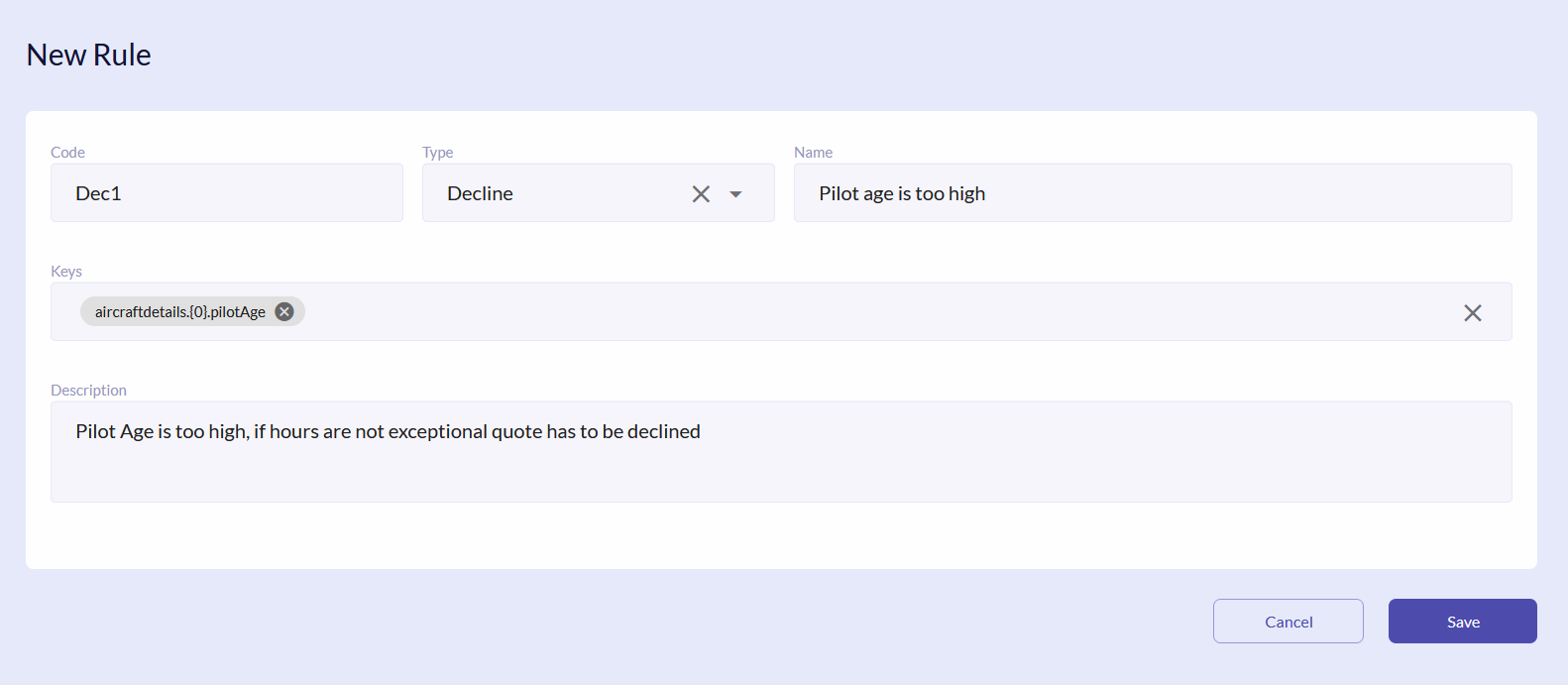
To create a new rule, click the Create New button. In the new window enter Code, Name and Description, select Type. In the Keys field enter the key from the schema, which refers to the quote field, where the rule will be applied. Click Save.
For example, in this case if the value entered in the Pilot Age is higher then 75, then the quote will be declined. The acceptable rule threshold or value itself is defined in Calculation Steps.
Edit/Delete Rule
To edit or delete rule, click the or icons on the right of the field respectively.
{info.fa-info-circle} Make sure that you change the rule names in the formulas.
