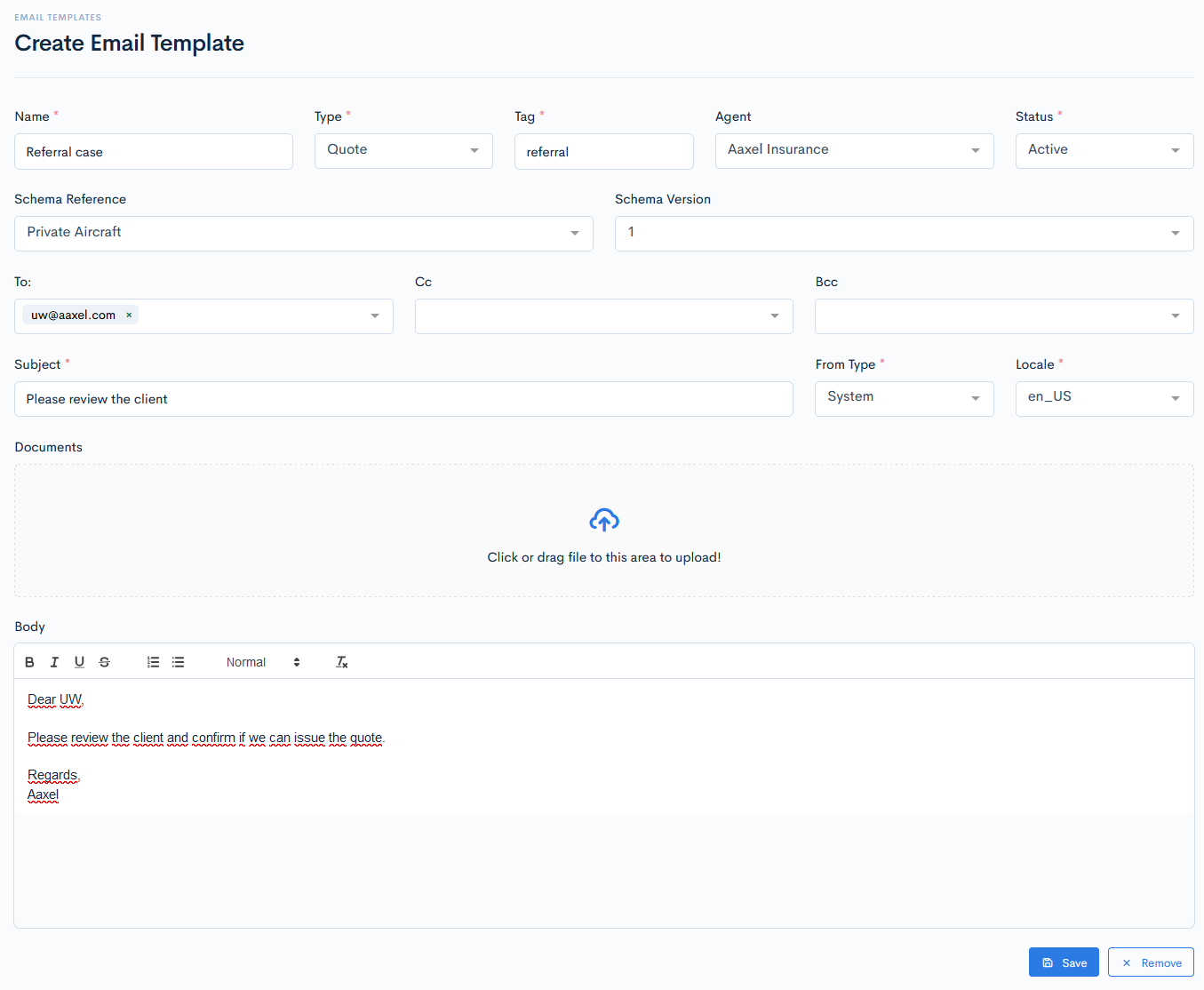
Create Template
To create a new email template, click the Create Email Template button. A new form with the following fields will appear:
| Name | Template name. |
| Type | Template type. Possible hardcoded options:
|
| Tag | Unique tag, which is used for mapping purposes in the system. |
| Agent | Select an agent from the database. |
| Status | Status of the template. Possible hardcoded options:
|
| Schema Reference | Select a schema reference, to which the template is dedicated. The template will be shown only in those quotes, which are based on that schema. Note: If you will not select schema, then this template will be available in all quotes. |
| To | Enter the receiver email. |
| Cc | Enter the Cc'ed email. |
| Bcc | Enter the Bcc'ed email. |
| Subject | Enter the email subject. |
| From Type | Select from who the email will be sent. Possible hardcoded options:
|
| Locale | Default langauge of the email template. |
| Documents | Upload any document, that you would like to be attached with a template. |
| Body | Enter the email text. |
{info.fa-info-circle} Fields marked with a red asterisk (*) are mandatory.