Overview
Quote is an application form generated from selected schema version and contains specific insurance case data. Depending on the time moment it has its own status, generated/uploaded documents and offered/calculated premiums(prices) from multiple packages or multiple insurers.
This module allows you to create quotes to provide potential insurance offers, monitor changes, and perform an audit of the insurance products sales process. Also, you may find historical quotes to get client answers about their current or previous insurance cover information.
Quotes List
To access your quotes, click Quotes on the left sidebar.
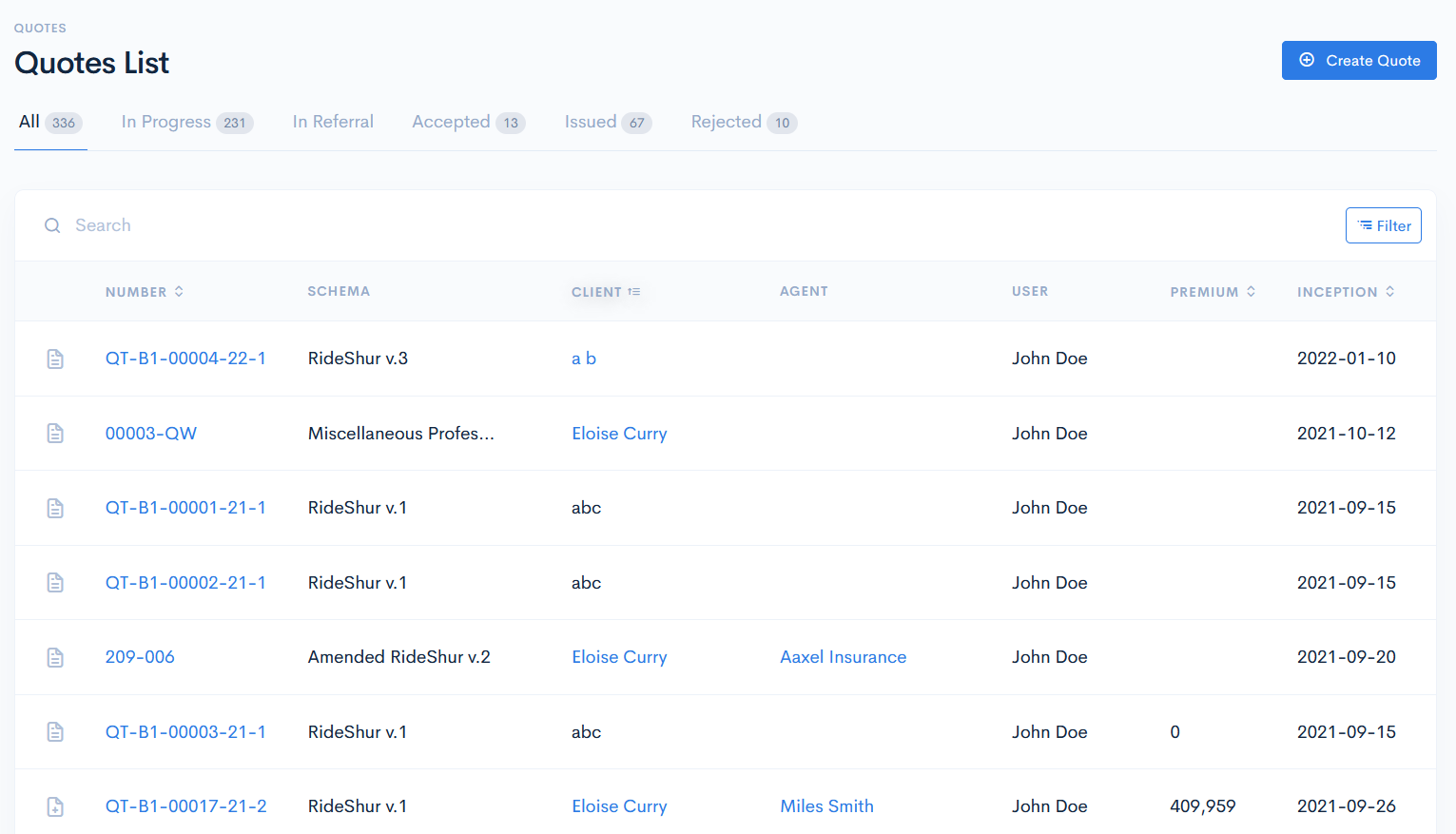
In the new window you will see the list of quotes, which can have the following groups:
- In Progress - quotes, that are initially created, are worked on, sent to a customer/broker or accepted.
- In Referral - quote is given to an underwriter to check if it can be issued.
- Accepted - quote, which is accepted by a client.
- Issued - quote, that is issued by an underwriter.
- Rejected - rejected quote by a client or an underwriter.
{info.fa-info-circle} The Q&B platform has 7 quote stages which are hardcoded in the system and can be controlled only by using the workflow. For more information see Workflows.
The quotes list has the following columns:
| Number | Quote number, which is assigned automatically, when you create a quote. Note: Click on the number to see the quote details. Note: You can sort the list by quote number in ascending or descending order, if you click on Number. |
| Schema | Base, on which a quote is created. For more information on schemas, see the Schemas chapter. |
| Client | Client name, to which a quote is related. Note: You can sort the list by client in ascending or descending order, if you click on Client. |
| Agent | Agent, assigned to the quote. |
| User | System user, who created this quote. |
| Premium | The amount of money that is paid out by the client to the insurance company. |
| Inception | Date, when the insurance policy begins. Note: You can sort the list by inception in ascending or descending order, if you click on Inception. |
| Status | Current status of the quote. Statuses naming vary from client to client and can be changed according to their needs. In general, all statuses fall into default groups of quotes. |
{info.fa-info-circle} You can use the Filter button to filter the list by user, status or schema. If you filter quote by the status, make sure, that you are in the particular status tab. E.g., if you will be in the In Progress tab, and filter quotes by Rejected, then filter will not show you any results.
Quotes Types
These quotes can have the following types:
- New - assigned to every newly created quote version.
- Adjustment - used when changes need to be done during the policy period.
- Termination - used when it is required to track the terminated amount and termination conditions.
- Renewal - used when creating a renewal quote.
Each quote row also has icons that help you quickly identify the quote type:
- - new quote.
- - adjustment quote.
- - renewal quote.
- - termination quote.
Quotes States
The following hardcoded quote states are available:
- Created - quote that has just been created.
- In Referral - insurance case is too risky to allow to go via standard way and more deeper analysis is needed for particular insurance case review, which is performed by the senior underwriter.
- Confirmed - quote is confirmed by an underwriter.
- Rejected - quote is rejected by an underwriter or a client.
- Accepted - quote, which is accepted by a client.
- Issued - quote, that is issued by an underwriter.
- Terminated - terminated quote by an underwriter.
- Outdated - expired quote.
All these states are used in workflows.
Quotes Versioning
Each quote has its own version. When it is created, the quote receives the version of v.1. This version will not be incremented until the quote is issued and an MTA is created.
For more information, see Policies.