Overview
Datasets in the Q&B system are used to store the various client data (e.g. agent name, insurer address, etc.), which is then used in the selectable quote fields, or API integrations. Datasets can be hardcoded or created customly by you if you do not find enough data in the hardcoded datasets.
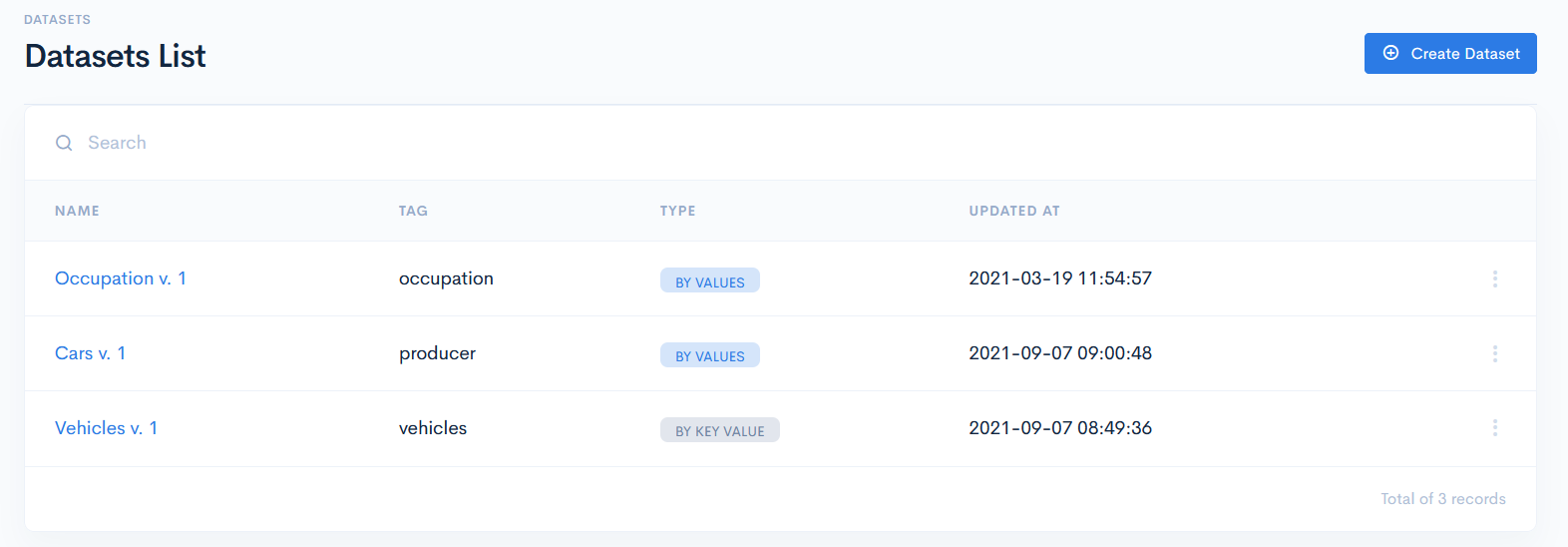
Datasets List
To access datasets, click Underwriting on the left sidebar and from the drop down menu select Datasets.
In the new window you will see the list of datasets with the following columns:
| Name | Dataset name. The name also contains the current dataset version. |
| Tag | Unique identifier of a custom dataset, which is used for value mapping in schemas. |
| Type | Dataset type. Possible options:
|
| Updated At | Shows exact date and time of the last dataset update. |
{info.fa-info-circle} You can filter out the list by Name and Tag in the search bar.